












Contractor management software

Contractors aren't your employees, but they're still your responsibility

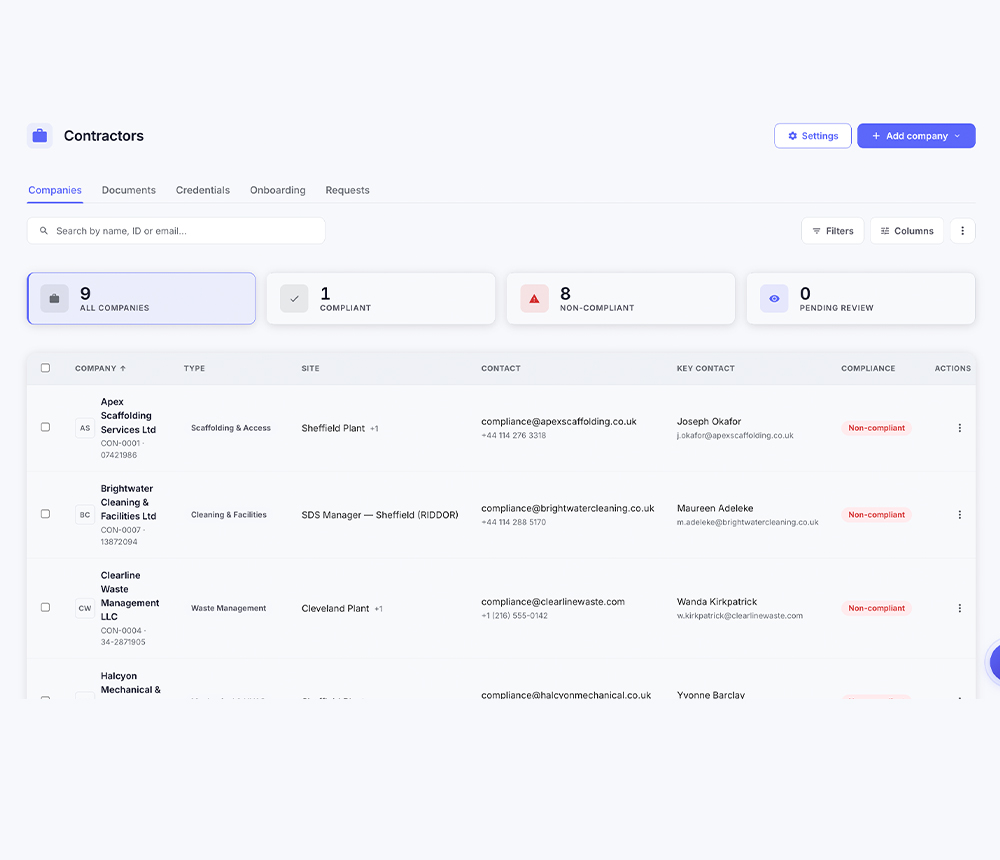
Onboard a contractor through an approval process, verify the documents before they turn up, and keep every company, every person and everything they've done in one place.

A site manager checking in a contractor at a plant entrance
Approved before they start

A defined approval process rather than a phone call and a hope.

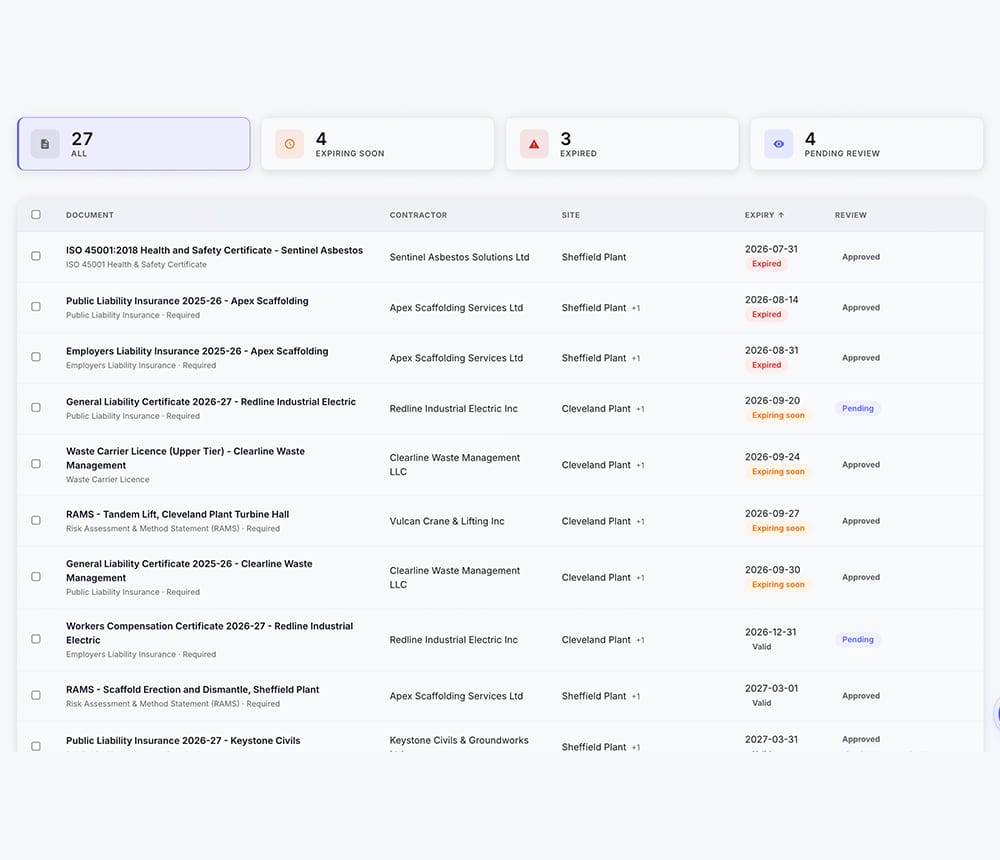
Documents checked, not collected

Requested, verified, approved and stored, with expiry visible.

Set up by us, before go-live

Your company types, document requirements and approval steps configured for you.

Trusted by10,000+ Safety Managers

The folder of PDFs somebody keeps on a shared drive

Contractor paperwork is usually a collection: an insurance certificate emailed in March, a ticket photographed on a phone, a method statement nobody can find. It works until somebody asks to see it.

Also called
Contractor management software, contractor compliance software
How onboarding works
A defined approval process — the company type determines which documents are required, and a named person approves them
Regulation it references
29 CFR 1904.31 — the employer who supervises the worker day to day records the injury
The difference

What changes when the record holds the paperwork.

Legacy EHS platforms compared with EHS Solutions by SDS Manager
ScenarioLegacy EHS platformsEHS Solutions by SDS Manager
A new contractor is due on site MondaySomebody chases the documents by email and decides on the spot whether it's enough.They go through an approval process with the documents your company type requires, and the record shows who approved them.
A contractor's insurance expired six weeks agoNobody notices until a claim, an audit or an incident makes somebody go and look.The document carries its expiry, and the contractor's compliance status shows it rather than hiding it.
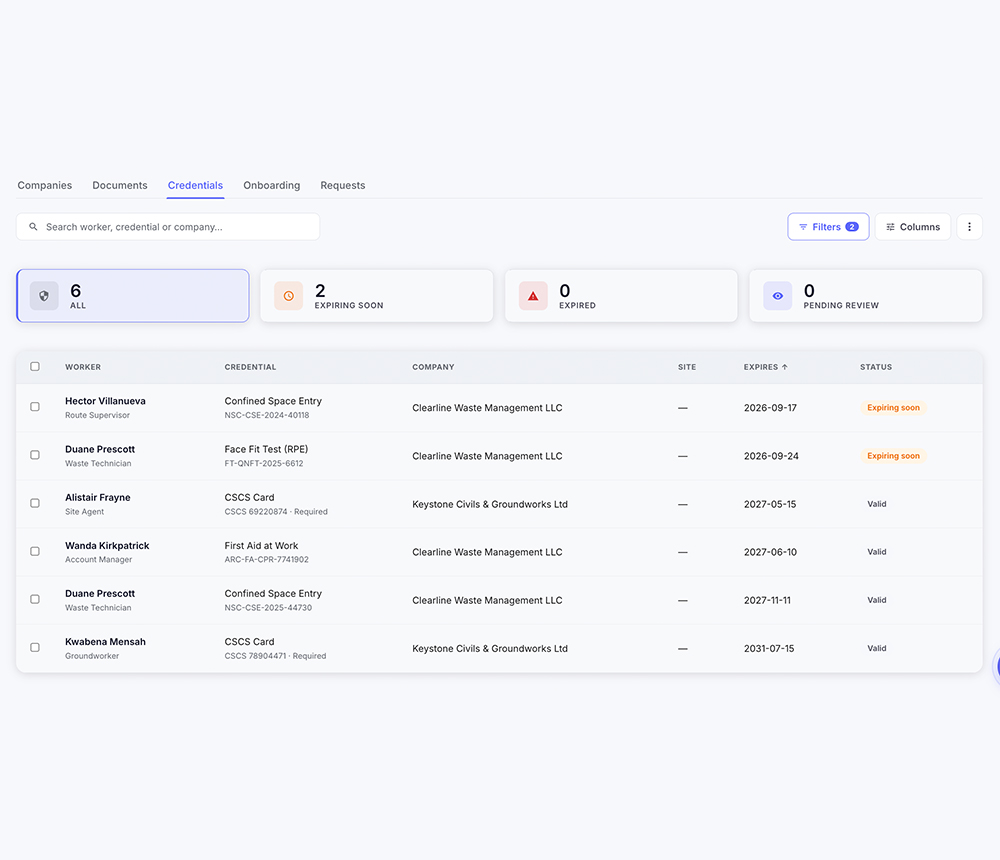
A contractor sends four different people over a monthFour separate conversations, and no way to see them as one company.All four sit under the contractor, each with their own role and permissions, on one record.
  • One company, many people

    Assign several users under one contractor, each with their own roles and permissions.

  • Documents with dates on them

    Requested, verified, approved and stored, so nothing expired quietly stays valid.

  • Reportable across all of them

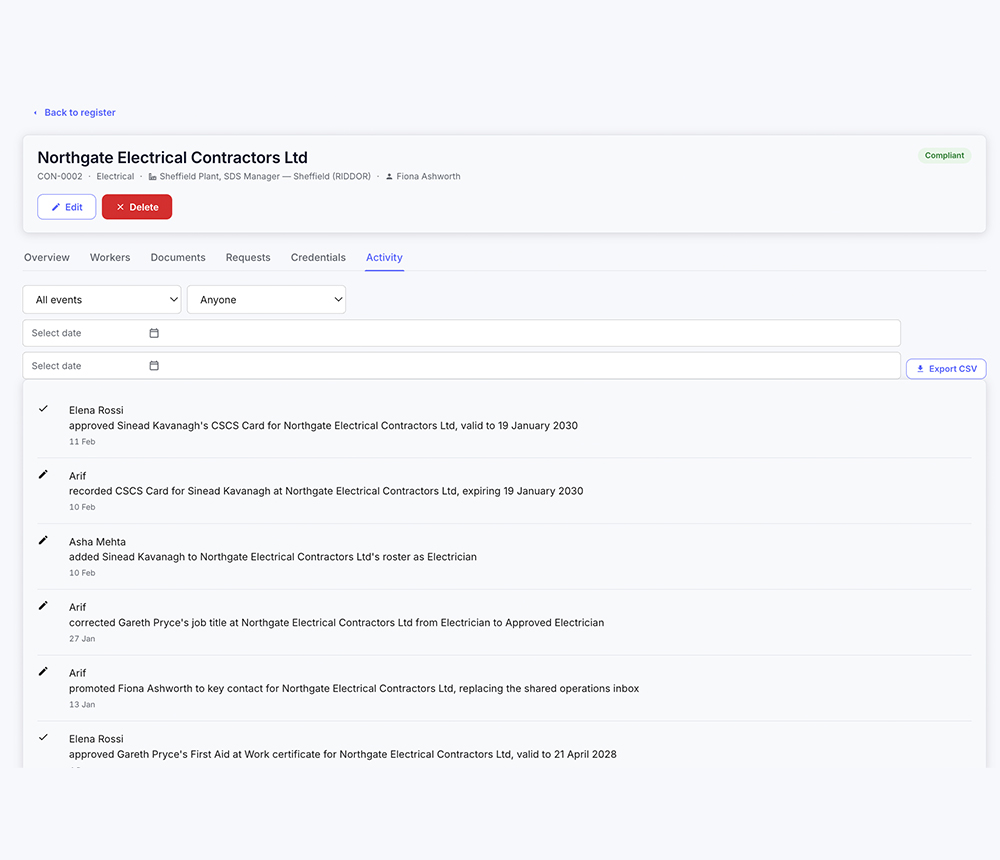
    Every contractor and everything they've done, in one place you can report from.

See it running on your own process, not a demo dataset.Book a walkthrough
Capabilities

From the first approval to everything they did after

How a contractor gets into the system, what happens to their paperwork, how their people are handled, and what the record looks like when somebody asks.

Bring us a contractor you've just onboarded

Take the last company you brought on site and we'll walk it through the system, from the approval to the documents to what they did afterwards.

Book a walkthrough

In practice

Workers reviewing safety records together on site
«Most of our sites have no coverage. The lads fill things in on the app and it goes up when the van's back in range. Hasn't dropped anything on me yet.»
Ben HalsteadHalstead Civil Engineering · Construction, LeedsVerified review · Trustpilot
What it costs

The software is the invoice

Legacy vendors quote a licence, then bill the setup, the migration, the training days and every change afterwards. It's a relic of an era when software took a year to install.

You pay for the software, not the consultants.

Priced on headcount, however many sites you run. Under 200 people, start a free trial and go. Above that, ask us for a number and you'll get one.

On your invoice
  • The software
  • Every module
  • Your headcount
  • Setup of your rules
  • Reports built for you
  • Changes, whenever
  • Support
Never on your invoice
  • Implementation fee
  • Configuration project
  • Consulting hour blocks
  • Change requests
  • Professional services minimum
  • Data extraction on exit
  • No implementation fee
  • No professional services minimum
  • No hours to buy for changes
Frequently asked questions

Contractor management, answered.

Still have questions? Our safety experts will answer them against your own contractor process rather than generically.

Talk to our safety experts
Contractor management software holds the companies you bring onto your sites, the people they send, and the paperwork that says they're allowed to be there. In EHS Solutions by SDS Manager a contractor is onboarded through an approval process, their documents are requested, verified and stored with their expiry dates, and everything they do afterwards stays attached to that company.
Contractor onboarding works through a defined approval process rather than an email chain. The contractor is created with a company type, that type determines which documents are required, and a named person approves them. Who approved the contractor and when is on the record.
Insurance certificates, licenses, method statements, competency records and whatever else your company types require can be requested, verified, approved and stored against the contractor. Each document carries its expiry date, so something that lapsed is visible rather than sitting unnoticed in a folder.
When a contractor's document expires, the expiry is visible against that document and on the contractor's compliance status, so an out-of-date certificate shows up rather than staying quietly on file. What your organization does about it — who is notified and what the escalation looks like — is part of your configuration.
Yes, several people can work under one contractor. Assign multiple users to a contractor company, each with their own account, role and permissions, so the company and the people it sends are one record rather than a set of unconnected accounts.
Yes, contractors can report incidents. Contractor users report through the system with the permissions their role allows, and anyone on site without an account can report through a QR poster in any browser with no app and no login. Either way the report lands on your record with the employer attached.
The employer who supervises the worker on a day-to-day basis usually records the injury, under 29 CFR 1904.31, which for most contractors is the contractor rather than you. In EHS Solutions by SDS Manager the employer and employment type are captured at the report, so the recordability decision has the facts attached rather than being argued afterwards.
Yes, you can report across all contractors at once. Every contractor company sits in one register, active and archived, with their documents, compliance status and activity attached, so a question about all of them is a report rather than an assembly job.
Yes, your existing contractor list comes across at onboarding, including company details and the documents you already hold. Contractors can also be imported and exported as CSV.
Setup takes days, and your team's part is describing how you already classify contractors and what you require from each type. In EHS Solutions by SDS Manager your company types, document requirements, approval steps and permissions are configured before go-live, by our team. There's no implementation fee and no consulting hours to buy.
Ready when you are

Bring us a contractor you've just onboarded

Take the last company you brought on site and we'll walk it through the system, from the approval to the documents to what they did afterwards.

Set up around your own company types, document requirements and approval steps.